Human 3D Pose Reconstruction
The purpose of the lab is to implement the 3D reconstruction from multi-views of human pose on a calibrated system. The course and lab is provided by Tan-Khoa MAI in Telecom-SudParis, at ARTEMIS research group. The dataset and part of code are provided by him. The repository can be found here with implementation code.
Dataset
Generally speaking, the dataset is composed of original videos from cameras of different views and text data about camera parameters and coordinates output of joints.
Videos are different sportive activities recorded by different people(subject).
Two type of data are important here: 2DTXT file and 3DTXT file. The 2DTXT contains arrays of 2D coordinates for each joint at each frame. The 3DTXT contains one more dimension coordinate information.
Draw keypoints on original videos with 2DTXT file
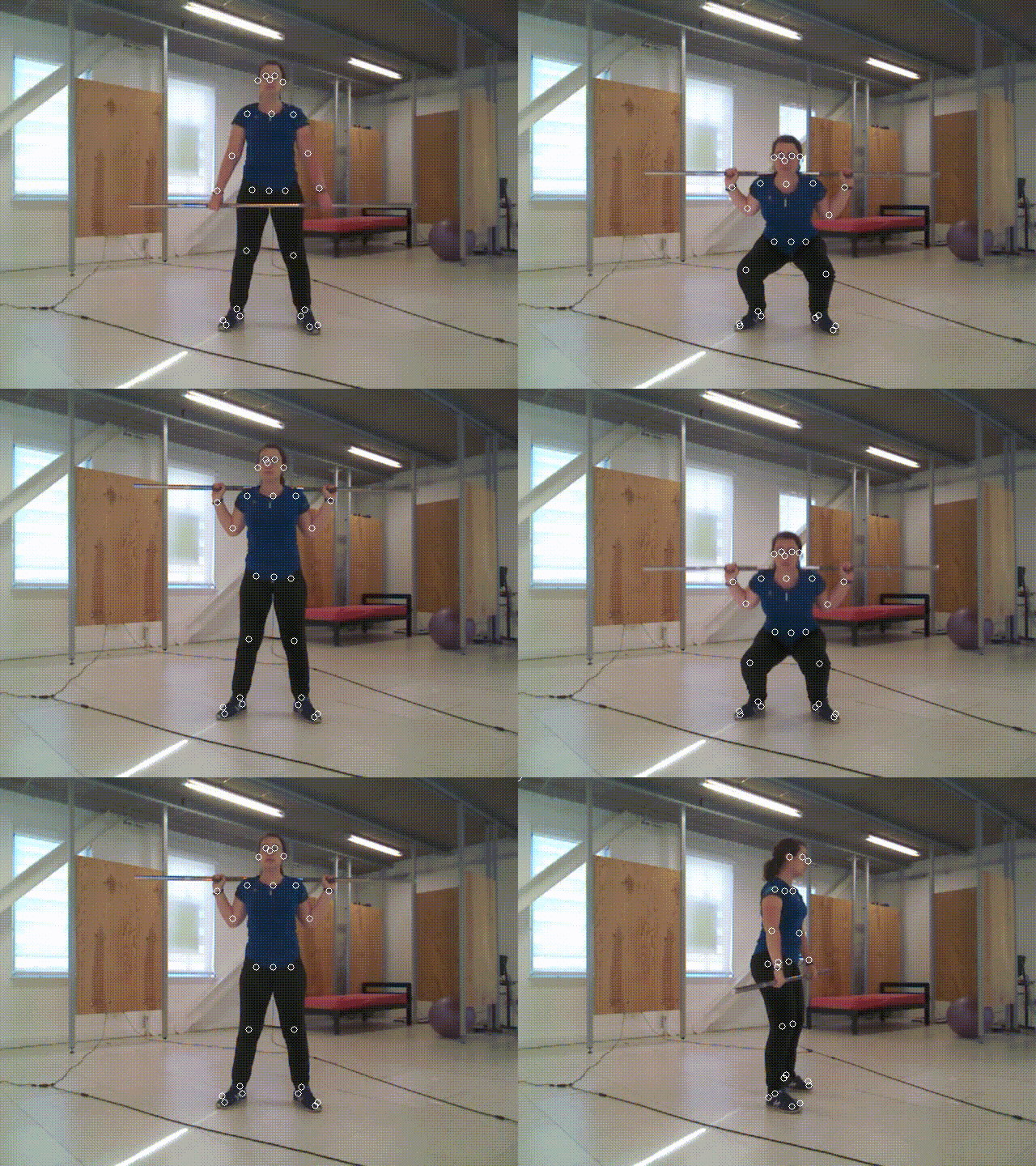
Each line in a 2DTXT file is the information of a frame. It contains 25 pairs of array with order in (x, y, reliability). The x and y are the coordinates of this joint on the video. The main task here is to use functions in opencv to draw circles onto each original frame and save it. The key code is provided below: in a double loop, the x and y data will be extracted and a white circle will be draw onto each joint of each frame.
for i in range(nFrame):
    ret, frame = cap.read()
    for j in range(numJoint):
        data2d = pose2Dv0[i][j]
        x = data2d[0].astype('int')
        y = data2d[1].astype('int')
        cv2.circle(frame, (x, y), 4, (255, 255, 255))
    vidWriter.write(frame)
Draw keypoints with relative pose data
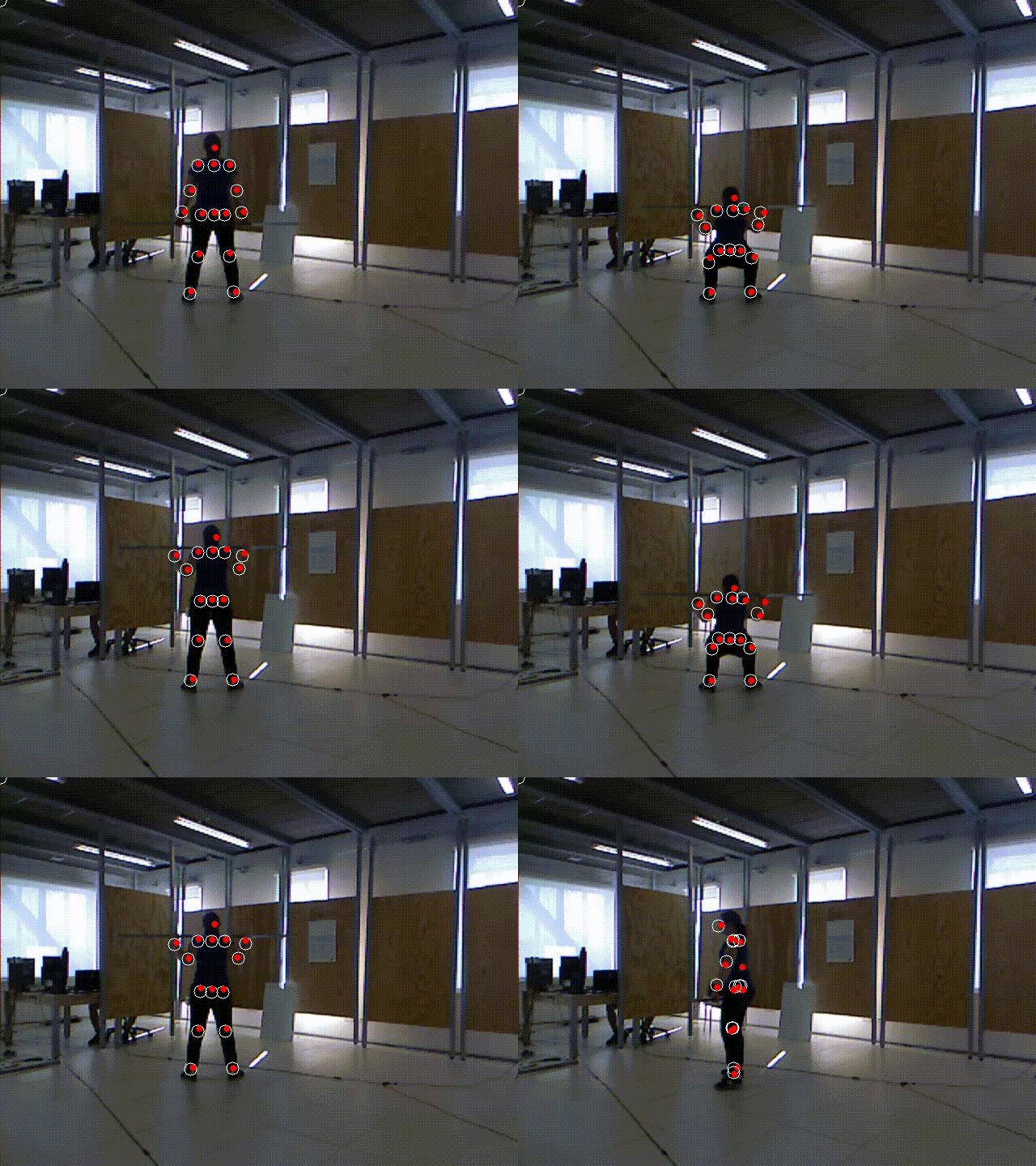
The second task is to project these coordinates on the frame of the different camera frame by using the 3DTXT file and camera’s intrinsic parameters. Precisely, the coordinates 3D has the reference on the first camera (camera 0th). By using the relative pose between cameras (pose_0_1.. etc) and camera’s intrinsic parameters we can transform these 3D points onto 2D plane of another view. A sample code is provided by teacher. In this code the view is shifted by order, view1 to view2, and view2 to view3. If we want to shift directly, we can turn the shifting matrix into homogenous matrix by adding a row [0 0 0 1] at the bottom.
Triangulation
The third task is to do triangulation of keypoints, by using the 3d data. To do this, we need to find the fundamental matrix such that x’Fx = 0. It is the mathematical relationship of a same point in two views. Opencv has some function to calculate the Fundamental Matrix and triangulation points.
The next step is to construct the two camera calibration matrix. We can use the data in lst_f and lst_c to make it.
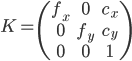
With two camera matrix representing two views and Fundamental matrix, we can get the Essential Matrix and afterwards the Rotation and Translation from the first view to second view. We don’t need it here because we can use two projection matrix to calculate triangulation points.
  # fundemental matrix
    F, mask = cv2.findFundamentalMat(np.array(points_v0), np.array(points_v1), cv2.FM_LMEDS)
    # camera matrix
    cm0 = np.array([[lst_f[0][0], 0, lst_c[0][0]], [0, lst_f[0][1], lst_c[0][1]], [0,0,1]])
    cm1 = np.array([[lst_f[1][0], 0, lst_c[1][0]], [0, lst_f[1][1], lst_c[1][1]], [0,0,1]])
    # projection matrix
    pm0 = np.dot(cm0, P01)
    pm1 = np.dot(cm1, P01)
    # triangulation
    points_frame = cv2.triangulatePoints(pm0, pm1, np.array(points_v0).T, np.array(points_v1).T)
Normally at this step, we can get the 3d coordinates of all the keypoints in world coordinate system of one frame. I try to plot it but all the points collapse into one place that I cannot find out the reason. I finally stop here. The graph below shows the value of points in one frame.

References
[1]. What do I do with the fundamental matrix?